
How to Reset 99Exch Password: Step-by-Step Guide

Losing access to your account can quickly become frustrating, especially when the issue is only the password. This guide explains how to reset your 99Exch ID password in a clear and practical way, so users can regain access without confusion. It covers the full reset flow, what details may be needed during verification, how to create a stronger new password, and what to do if the reset does not work as expected. Whether the password was forgotten, stopped working, or needs to be changed for security reasons, the goal is to make the recovery process easier to follow from start to finish.

What This Password Reset Guide Helps You Do

This guide helps users reset their 99Exch password in a way that feels clear, practical, and easier to follow from the start. Instead of leaving the recovery process vague, it explains what to do when account access becomes a problem and how to move step by step toward creating a new password successfully.

It also covers the parts that usually cause confusion, such as OTP issues, failed reset attempts, and the basic safety checks worth following during account recovery. That makes the page useful for first-time users who are resetting a password for the first time, as well as returning users who want a quicker and more reliable way to restore access to their 99Exch ID.

99exch password reset

When You May Need to Reset Your 99Exch Password

There are a few common situations where resetting your 99Exch password becomes necessary. The most obvious one is when you simply forget the password and cannot log in. In other cases, the password may no longer work even though the 99Exch ID is correct, which can happen after repeated failed attempts or account changes.

Some users also need a reset after switching devices, facing a login issue that was not there before, or noticing something unusual around account access. If there is any concern after suspicious activity, resetting the password is often the safer step. It also helps when you are unable to enter the platform even though your ID details seem correct.

99exch password reset

Step-by-Step: How to Reset Password on 99Exch

Open the official 99Exch login page

Start from the main login screen so the reset process begins from the correct account access area.

Click the forgot password or reset password option

Look for the password recovery link below or near the login form and open the reset flow from there.

Enter your registered ID, mobile number, or required account detail

Fill in the account information linked to your 99Exch ID so the platform can identify the correct account.

Complete the verification step

Follow the verification prompt shown on the screen. This may be needed before the reset can move forward.

Receive and enter the OTP or reset code

Wait for the code sent to your registered contact method, then enter it carefully in the required field.

Create a new password

Choose a new password that is stronger and different from the old one. Make sure it is something secure but still manageable for you to remember.

Confirm the new password and save the change

Re-enter the password exactly as created, then complete the save or update step so the reset is applied properly.

Log in again with the updated password

Return to the login page and sign in using your 99Exch ID and the new password to confirm that account access has been restored.
How to Create a Strong New Password

A stronger new password makes it harder for anyone else to access your 99Exch ID and reduces the chance of repeated login problems later. Avoid weak or repeated passwords, especially simple combinations that are easy to guess. Where supported, it is better to use a mix of letters, numbers, and symbols rather than relying on one predictable pattern.

It also helps not to reuse an old password that has already been connected to your account before. The best choice is something secure but still memorable enough for you to manage confidently. Once the new password is set, keep it private and do not share it with anyone.

99exch password reset

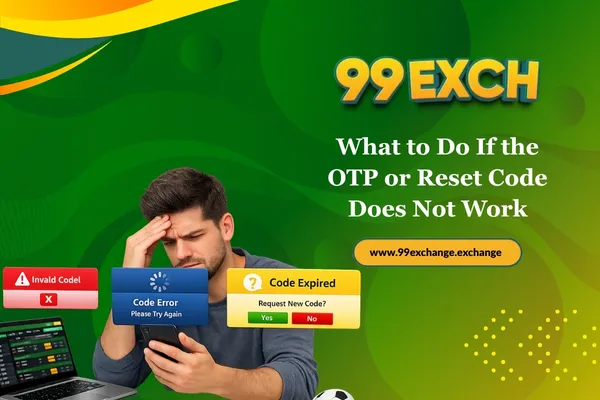
What to Do If the OTP or Reset Code Does Not Work

If the OTP or reset code does not work the first time, wait a short moment and try once more before doing anything else. It is also worth checking whether the registered mobile number or email linked to your 99Exch ID is correct, because the code will only work when it is sent to the right account details.

Try not to enter an expired OTP, especially if there was a delay before you used it. Refresh the page only if needed, and request a new code carefully instead of repeating the process too quickly. A more controlled retry usually works better than rushing through multiple reset attempts.

How to Create a Strong New Password

Safety Tips During Password Reset

Password recovery should always begin from the official 99Exch login or reset page. Avoid third-party links, unfamiliar messages, or shortcuts that do not come from the main account access flow. A trusted device and a stable connection also make the reset process safer and easier to complete without interruptions.

Just as important, never share your OTP, reset code, or new password with anyone. If account access feels unusual or unsafe at any point, complete the reset and change the password immediately. A more careful reset process helps protect both your 99Exch ID and the account connected to it.

What to Do If the OTP or Reset Code Does Not Work

FAQs About Resetting 99Exch Password

How do I reset my 99Exch password?

Go to the official 99Exch login page, use the forgot password or reset password option, enter your registered account detail, complete verification, and create a new password after the OTP or reset code is accepted.

Start the password reset process instead of retrying random password combinations. That makes account recovery easier and reduces the chance of repeated failed login attempts.

This can happen if the registered mobile number or email is incorrect, the code is delayed, or too many attempts were made too quickly. It helps to wait briefly, check the registered detail, and request a fresh code carefully.

Yes, that is usually the purpose of the forgot password flow. Users who cannot log in can still reset the password through the recovery option on the login page.

Make sure you are using the official reset page, check your internet connection, refresh only if needed, and retry the process carefully. If the issue continues, it may be time to seek support.

The clearest sign is being able to log in again with your 99Exch ID and the new password. Once access is restored, the reset has been completed successfully.